WordPress Tips And Tricks Straight From WordPress Professionals

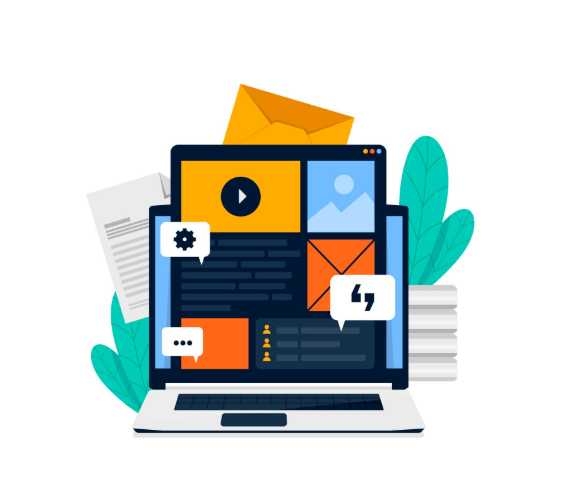
WordPress remains the most popular content management system (CMS) in the world, powering everything from personal blogs to Fortune 500 websites.
But the platform has evolved dramatically. In recent times, success with WordPress isn’t just about publishing posts, it’s about creating a fast, secure, multimedia-rich, and user-friendly experience that adapts to modern SEO, AI, and mobile-first practices.
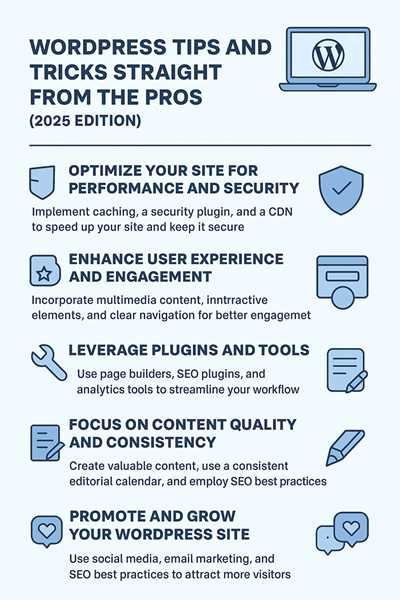
Five (5) Essential Areas of WordPress
Here are the five essential areas every site owner, blogger, or entrepreneur should master to get the most out of WordPress.
1. Build a Strong Foundation: Themes, Landing Pages, and User Experience
The first step to creating a professional WordPress site is establishing a solid foundation. Today’s users demand sites that are fast, clean, and optimized for both desktop and mobile.
- Choose a modern theme: Block-based themes (like Kadence, Astra, or GeneratePress) are lightweight, customizable, and mobile-ready. They work seamlessly with the WordPress block editor (Gutenberg) and don’t require heavy page builders unless absolutely necessary.
- Use a landing page builder: Instead of displaying your latest posts as the homepage, design a custom landing page. Tools like Elementor Pro, Spectra, or Kadence Blocks allow you to create visually appealing pages that highlight your brand, capture leads, and guide visitors toward conversions.
- Mobile-first design: Over 65% of web traffic comes from mobile devices. Ensure your site is fully responsive, with touch-friendly navigation, fast-loading images, and readable fonts on small screens.
- User testing: Great design means nothing if visitors find your site frustrating. Use tools like BrowserStack or Google Lighthouse to test your website across devices, and collect real user feedback with services like Hotjar (heatmaps and session recordings).
When prioritizing design and usability at the foundation level, you’ll keep visitors engaged and returning.
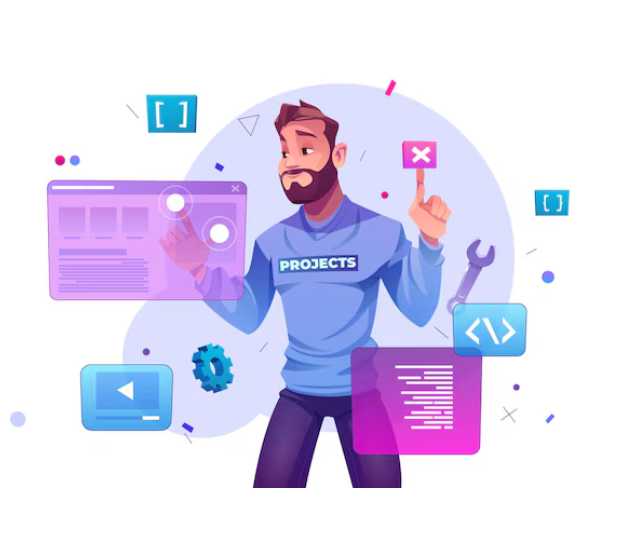
2. Create Content That Goes Beyond Text
Blogging has changed as publishing plain text articles isn’t enough anymore. Readers expect immersive, interactive content that informs and entertains.
- Multimedia integration: Incorporate short-form videos, interactive infographics, polls, and quizzes into your posts. Plugins like Forminator or EmbedPress make it easy to add interactive elements.
- Visual storytelling: Use AI-generated graphics, animations, and charts to make complex ideas easier to understand. Tools like Canva AI and MidJourney can create branded illustrations quickly.
- Video-first content: Platforms like YouTube Shorts, TikTok, and Instagram Reels dominate. Embed short videos into your posts to grab attention and increase dwell time.
- Podcasting and audio content: Some audiences prefer listening to content. WordPress plugins like Seriously Simple Podcasting let you publish and syndicate audio directly from your site.
- Long-form + snackable mix: Pair in-depth guides with bite-sized summaries (e.g., bulleted takeaways, “TL;DR” sections) to cater to both skimmers and deep readers.
Diversifying your content formats help expand your reach and build stronger engagement across multiple audience preferences.
3. Optimize Performance, Plugins, and SEO With AI Assistance
Performance optimization is no longer optional. It’s a ranking factor and a key part of user experience. A site that loads slowly or fails to rank in search engines won’t achieve its goals.
- Speed and performance: Install caching and performance plugins like WP Rocket or FlyingPress, which optimize CSS, JS, and image delivery. Pair with a CDN (Content Delivery Network) like Cloudflare for global speed.
- AI-powered SEO: Tools like Rank Math and Yoast SEO Premium now include AI features that suggest keywords, schema markup, and content improvements. These tools adapt to Google’s evolving algorithms and optimize for voice search and semantic SEO.
- Automation: Use SureTriggers or Uncanny Automator to connect your WordPress site with apps like Slack, Mailchimp, or Notion thereby saving time by automating repetitive tasks.
- Keep plugins lean: The golden rule of Wordpress is: less is more. Avoid plugin bloat by only installing tools you truly need. Too many plugins can slow your site and increase security risks.
- Accessibility & compliance: SEO now includes accessibility. Use accessibility tools to meet WCAG 2.2 standards, ensuring your site is usable by people with disabilities and ranked higher by Google.
When your site is fast, well-optimized, and AI-assisted, you gain a competitive edge in both user experience and search visibility.
4. Build Community and Monetize With Exclusive Content
Building an online community around your WordPress site is just as important as publishing content. People crave belonging, and exclusivity often drives loyalty.
- Membership areas: Use plugins like MemberPress or Paid Memberships Pro to create private sections of your website. Offer premium resources, templates, or behind-the-scenes content.
- Gamification: Add elements like badges, progress bars, and leaderboards to keep members engaged. Plugins like GamiPress integrate easily with WordPress membership sites.
- Discussion forums: Move beyond simple comments by integrating bbPress or connecting your community with Discord or Slack for real-time engagement.
- Recurring revenue models: Offer subscriptions, online courses, or premium newsletters. With tools like LearnDash or Tutor LMS, you can run full e-learning academies inside WordPress.
- Trust through transparency: Always disclose affiliate links, partnerships, and sponsorships. Authenticity is more valuable than ever as audiences can spot fake endorsements instantly.
Community-building transforms casual readers into loyal advocates who not only consume your content but also promote it.
5. Protect, Secure, and Future-Proof Your WordPress Site
Security and sustainability are critical in WordPress. With cyber threats becoming more sophisticated, every WordPress site owner must take proactive measures.
- Security plugins: Use Wordfence or iThemes Security Pro to block malware, brute-force attacks, and unauthorized logins.
- Two-factor authentication (2FA): Require all admins and editors to use 2FA for login security.
- Regular backups: Set up automatic backups with UpdraftPlus or BlogVault, ensuring you can restore your site in case of an emergency.
- Hosting matters: Opt for managed WordPress hosting (Kinsta, WP Engine, or SiteGround Cloud) for built-in speed, scalability, and security.
- Stay updated: Always update WordPress core, themes, and plugins. Enable auto-updates but monitor for compatibility issues.
- Future-proofing with AI: Leverage AI analytics and personalization tools to keep your site competitive and adaptable to future trends.
With these protections in place, your site will be fast, safe, and ready for whatever the internet throws your way.
Mastering WordPress is about more than just blogging. It’s about building a secure, multimedia-rich, SEO-friendly, and community-driven digital hub.
WordPress isn’t just a publishing platform anymore. It’s the foundation for sustainable online businesses, personal brands, and global communities.
Author Bio
This user has not submitted a user bio yet
Article Comments
No Comments!
At present there are zero comments on this article.
Why not be the first to make a comment?
Similar Articles
Sponsor
Search Articles

Experts Column
Latest Articles
Featured Articles







Most Popular Articles